Official first
Roblox metadata defines the identity and the published Z / X / C keybind clue.
Early access field notes · Updated September 6, 2026
Learn the controls, prepare your squad, and keep your first Huss rooms run calm when the lights, sound, and Clark start working against you.
An unofficial fan resource. Roblox, Moist Carpet, and the game itself are the official sources for play, support, and updates.
This public creator walkthrough is useful for orientation and player language. It is not an official patch note, and the player loads only after you click the poster.
No public character roster or comparable ranking table is available, so each hold explains a player role and the evidence boundary instead of pretending to be a final rank.
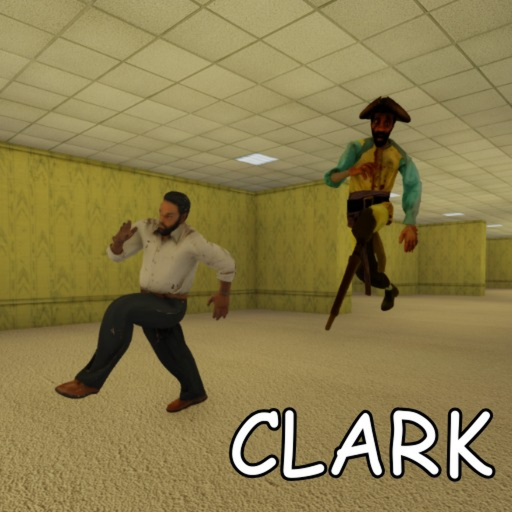
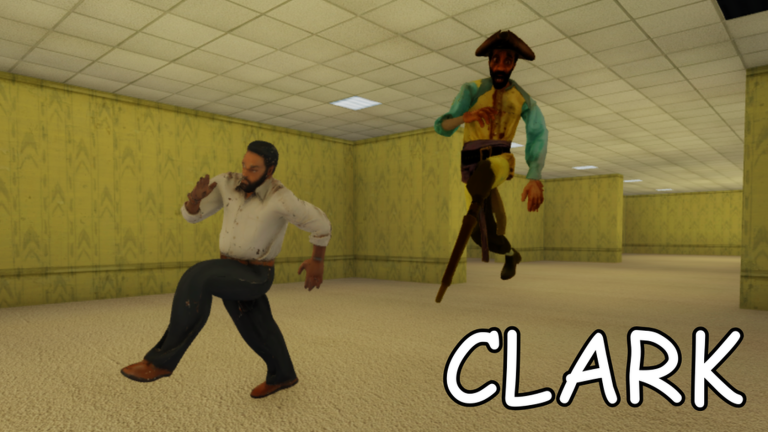
A role-first hold: public guides describe Clark as a stalking threat, but no official roster, numeric behavior, or reliable counter table is published.
A useful mechanic note, not a character tier: community guides recommend brief light checks and treating visibility as a tradeoff.
The official description lists Z, X, and C as keybinds but does not assign action names. Test each key in a safe moment before a serious run.
Start with preparation, then follow the path that matches what you saw in-game.
Check the squad, headphones, keybinds, and current-build uncertainty before you commit to a run.
Z / X / CSeparate the official keybind text from action names that are not publicly documented.
Community guideUse cautious, qualitative habits around light, sound, line of sight, and Clark awareness.
Role-firstSee what can be compared today and what remains a hold until a public roster appears.
FreshnessOpen the dedicated owner for the latest dated result and source order.
Trust pathOpen Roblox and the creator group; see why no Discord or Trello invite is guessed.
The strongest current advice is practical: test the official keys, communicate, and treat reported mechanics as current-build notes.
Use the topic pages for Clark, Huss rooms, and reward status without mistaking an empty public record for missing site work.
Early access means a dated source is more useful than a confident evergreen claim.
The universe is public, active, and not archived; Roblox games metadata now shows an August 18, 2026 update timestamp.
roblox.com APIsOfficial productRoblox lists a current in-sale pass; activation details remain unverified.
apis.roblox.comPatch-sensitiveLight, audio, Clark, and first-door notes come from public guides and remain qualitative.
community guidesYouTubeA recent public walkthrough helps with player vocabulary; it is not an official patch note.
Clout BrothersDedicated routeOpen the single page responsible for dated code-status and redemption questions.
this siteThese links are separated so a community guide never looks like a creator announcement.
Open the canonical Clark (EARLY ACCESS) - Huss rooms experience.
roblox.comCreator recordThe creator group inferred from the official universe metadata target ID.
roblox.comOfficial APIIdentity, active/public state, creator, description, and timestamps.
develop.roblox.comOfficial APICurrent Game Pass name, creator, sale state, price snapshot, and timestamps.
apis.roblox.comChecked statusNo creator-linked invite was returned by the official social-links check; do not guess one.
this siteResearchSee official APIs, community guides, and public videos with confidence notes.
this siteRoblox metadata defines the identity and the published Z / X / C keybind clue.
Light, audio, Clark, and first-door advice is useful context, not an official guarantee.
Stats are published only as a dated official snapshot, and no reward roster, room roster, action mapping, numeric mechanics, badges, or official invite is claimed without evidence.
When the game changes, use the source and update pages rather than carrying a stale assumption forward.
It is a public Roblox experience by the Moist Carpet group, identified by place ID 94610770420769 and universe ID 10508637145.
The official Roblox description lists Z, X, and C as keybinds, but it does not name their actions.
Use the beginner route, test the published keybind clue, and run the readiness checklist before a serious squad run.